
You don’t need a big camera to take amazing travel photos — not anymore. Whether you’re wandering through Bali’s rice terraces, catching a sunrise in Lombok, or snapping street portraits in Yogyakarta, your smartphone is all you need to capture Indonesia’s beauty like a pro.
Today’s phones are powerful tools with cameras that can easily rival basic DSLRs. But what truly makes a good travel photo isn’t expensive gear — it’s how you see light, color, and story. With a few simple tricks, you can turn your everyday shots into scroll-stopping images that bring your journey to life.
In this guide, we’ll cover everything you need to know about travel photography in Indonesia with a smartphone — from the best time to shoot and simple composition techniques, to editing on the go and keeping your photos safe. Every tip is beginner-friendly, practical, and made for real travelers — not professional photographers.
By the end, you’ll know how to take photos that don’t just look good but feel like Indonesia — full of life, color, and emotion.
Why Your Smartphone Is Enough
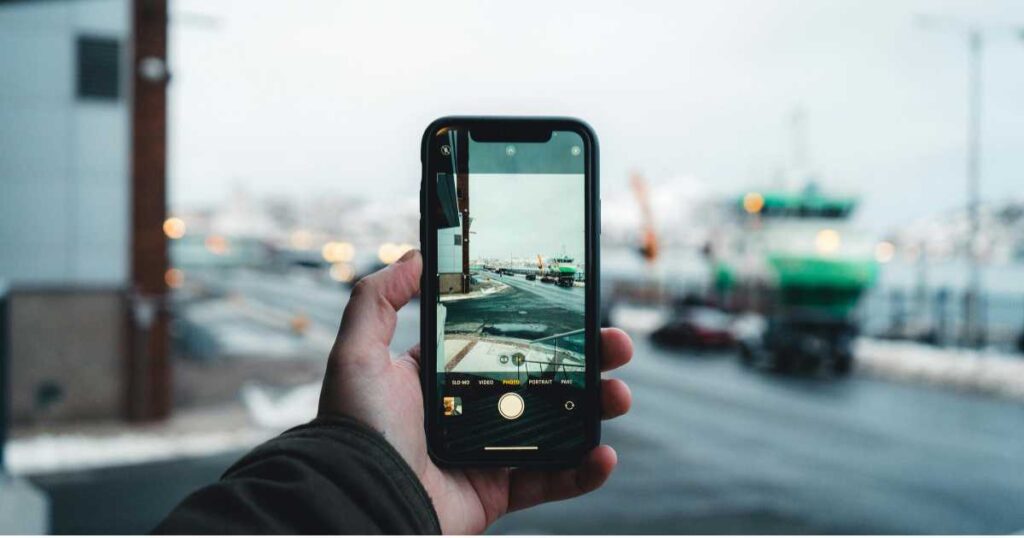
Gone are the days when you needed heavy gear to take professional-looking photos. Today’s smartphones are powerful, smart, and perfectly designed for travel. Whether you’re using an iPhone, Samsung Galaxy, or Google Pixel, your phone has everything you need to create stunning shots of Indonesia — from bright beaches to dimly lit temples.
Small, Light & Always Ready
The biggest advantage of a smartphone is that it’s always in your pocket. You don’t have to unpack a camera or change lenses when a perfect moment happens — like a fisherman pulling in his net at sunrise or a child flying a kite in Bali’s rice fields. Being ready means you capture more genuine, spontaneous moments — and those are often the best ones.
Smart Cameras With Powerful Tech
Modern phones are built with AI-powered image processing, wide and ultra-wide lenses, and excellent low-light features. They automatically adjust exposure, stabilize your shot, and balance colors better than most beginner cameras. Even tricky scenes like sunsets or night markets in Indonesia come out vibrant and sharp with just a tap.
Easy Editing & Sharing
With apps like Snapseed, Lightroom Mobile, or VSCO, you can edit photos instantly and post them within minutes. You don’t need a laptop or expensive software. Travelers love this flexibility — take the shot, enhance it, and share your Indonesian adventure while it’s still fresh.
You Blend In
One underrated perk of shooting with a phone is how natural it feels. Locals tend to relax when you use a phone instead of a bulky camera. That makes it easier to capture authentic, candid moments — especially in markets or villages where people can be camera-shy.
In short, your smartphone isn’t a backup camera — it’s your best travel companion. When you learn how to use it right, it can turn simple moments into beautiful, storytelling photos.
Best Times & Locations to Shoot
Indonesia is one of the most photogenic countries on Earth — but timing and location can make all the difference between an average photo and one that takes your breath away. Whether you’re capturing sunrise over volcanoes or street life in a local market, here’s how to plan the perfect smartphone shot.
Golden Hour: Your Best Friend
The golden hour — just after sunrise and before sunset — gives you soft, warm light that flatters everything. Shadows are gentle, colors glow naturally, and your phone’s camera performs at its best.
- Morning (6:00–8:00 AM): Ideal for rice terraces, fishermen, and village life.
- Evening (4:30–6:30 PM): Perfect for beaches, rooftops, and temples.
Avoid shooting around noon when the sun is harsh — especially in tropical regions like Bali or Lombok. If you must, use shade from a tree or building to soften the light.
Top Locations for Travel Photography in Indonesia
Here are some beginner-friendly yet photo-rich spots where your smartphone will shine:
- Bali: Tegallalang Rice Terraces, Uluwatu cliffs, Campuhan Ridge Walk, and Ubud’s morning markets.
- Java: Borobudur Temple at sunrise, Yogyakarta’s Malioboro Street, Mount Bromo viewpoints.
- Lombok: Bukit Merese, Tanjung Aan Beach, and Senggigi’s calm coastal mornings.
- Sumatra: Lake Toba, Berastagi markets, and jungle paths near Bukit Lawang.
- Flores: Komodo viewpoints, traditional villages in Bajawa, and sunset from Labuan Bajo harbor.
Each of these places offers incredible light and texture — from misty mountains to ocean reflections — all perfect for smartphone photography.
Use Apps to Plan Your Shots
Apps can make timing easier and help you track sunlight direction:
- Sun Seeker or PhotoPills — show sunrise/sunset angles and light position.
- Windy — great for checking weather and visibility before sunrise hikes.
- Google Maps + Street View — preview your location ahead of time to find the best angles.
Capture Life, Not Just Landscapes
Don’t just focus on big views — photograph everyday moments, too. A woman selling fruit, kids playing soccer, or fishermen at dawn tell deeper stories of Indonesia’s charm. Your phone’s discreet size helps you get closer to real life without feeling intrusive.
Composition Made Simple
You don’t need to be a professional photographer to compose beautiful shots — just a good eye and a few simple rules. The right composition helps your travel photos in Indonesia tell a story, guide the viewer’s eyes, and bring your scene to life. Here’s how to make every shot look intentional and balanced, even with your smartphone.
Follow the Rule of Thirds
This is the easiest and most effective trick. Turn on the grid lines in your phone’s camera settings — they divide your screen into nine equal boxes. Place your subject (like a temple, a mountain, or a person) along one of those lines or at a corner intersection. It instantly makes your photo more dynamic and professional.
Use Leading Lines
Indonesia is full of natural lines that guide the viewer’s eyes — roads, rice terraces, bridges, and paths. Use them to draw attention toward your main subject. For example, at Campuhan Ridge Walk in Bali, the trail itself can lead the eye toward a person walking in the distance or the horizon beyond.
Frame Within a Frame
Use doorways, arches, or windows to “frame” your subject. This adds depth and makes your image more interesting. In temples, markets, or traditional houses, look for natural frames — like a carved gate around a statue or a tree branch arching over a beach view.
Find a Human Element
Adding people to your photo gives scale and emotion. A fisherman in front of the sea, a farmer walking through rice fields, or a child holding a balloon in a market — these touches tell real stories of Indonesian life.
Keep the Background Clean
Before tapping the shutter, take a quick look at the background. Move a little to the left or right if something distracting (like a trash can or sign) appears behind your subject. A simple shift can make your photo look instantly cleaner.
Try Different Angles
Don’t just shoot from eye level. Crouch low to make mountains or waves look bigger, or shoot from above to show patterns — like food at a local market or colorful boats lined up on the shore.
Composition is all about practice. The more you shoot, the faster you’ll start seeing lines, shapes, and light come together naturally.
Light & Weather
Lighting can make or break a photo, and in a country as bright and tropical as Indonesia, knowing how to handle light and weather is key. Your smartphone camera can do wonders — if you learn to work with the light, not against it.
Morning vs. Midday Light
The morning light (6–8 AM) is soft, golden, and full of color — perfect for capturing markets, temples, and nature shots. Shadows are gentle, and your phone’s sensor can handle details easily.
By contrast, midday light (11 AM–2 PM) is harsh and creates strong shadows, especially on people’s faces. If you’re shooting at this time, find shade or shoot subjects facing away from the sun. You can also use clouds as natural diffusers — they soften everything beautifully.
Play With Reflections
Indonesia’s beaches, rice paddies, and wet streets after rain make perfect mirrors for reflections. Stand low and frame the sky or people reflected in puddles or water surfaces. It’s one of the easiest ways to make your smartphone photos look creative and professional.
Use Shadows for Drama
Don’t be afraid of shadows — they can add mood and texture. Early morning or late afternoon shadows create interesting patterns on walls, markets, or stairways. Just tap on your phone screen to focus on the darker part of the frame so the lighting looks balanced.
Make Clouds Work for You
Cloudy skies may seem dull, but they actually give you even lighting. Great for portraits, street scenes, or food photos. If you want more pop, edit later by slightly increasing contrast and warmth.
Embrace the Weather
Rainy season in Indonesia (November–March) doesn’t mean bad photography. Wet streets, glistening leaves, and reflections after showers create unique photo opportunities. Keep a small plastic bag or waterproof pouch handy for your phone — and shoot just after rain for soft, rich colors.
In short, don’t chase perfect weather — learn to use what’s in front of you. Light, rain, or clouds all tell different sides of Indonesia’s story.
Editing on the Go
Editing is where your photos truly come alive. A few simple adjustments can turn a good shot into a great one — and you can do it all from your phone. The goal isn’t to make your photos look fake or over-filtered, but to bring out the natural colors and atmosphere of Indonesia.
Use Free, Powerful Apps
You don’t need professional software. These free apps are easy to use and perfect for travelers:
- Snapseed (by Google): Best all-around editor for brightness, color, and detail control.
- Lightroom Mobile: Great for exposure, white balance, and saving custom presets.
- VSCO: Adds artistic filters that enhance mood without overdoing it.
Basic Adjustments That Make a Big Difference
Start with the essentials:
- Crop & Straighten: Fix tilted horizons — especially for beach or temple shots.
- Brightness & Contrast: Add light carefully; avoid making it look washed out.
- Saturation & Warmth: Indonesia’s colors — green rice fields, orange sunsets — pop naturally. Keep adjustments soft for a realistic look.
- Sharpen & Structure: Add clarity gently, especially on faces or landscapes.
- Highlights & Shadows: Lower highlights to recover sky details and lift shadows for balance.
Keep It Natural
A common beginner mistake is over-editing. If your photo starts looking unnatural — too bright, too sharp, or too orange — step back. The best edits look invisible. Aim to enhance, not change.
Ethical Retouching
Avoid removing or altering real elements that tell the truth of the moment — like wrinkles, signs, or local textures. Authenticity is what makes your travel photography meaningful.
Batch Edit for Consistency
If you’re posting a series (like a day in Bali or a food walk in Jakarta), use the same filter or color tone across all images. It creates a cohesive, professional-looking gallery.
Editing on the go isn’t about perfection — it’s about storytelling. Let your photos reflect the feeling you had in that moment, whether it was peace, energy, or wonder.
Protecting & Storing Photos
You’ve captured beautiful memories of Indonesia — now make sure they don’t get lost. Smartphones make photography easy, but they’re also fragile. A dead battery, lost phone, or water splash can wipe out weeks of travel photos in seconds. Here’s how to keep your pictures safe and organized.
Back Up Automatically
Turn on automatic cloud backup before your trip. Apps like:
- Google Photos (free up to a certain limit)
- Apple iCloud (for iPhone users)
- Amazon Photos (great for Prime members)
These save every shot online as soon as you have Wi-Fi. Even if your phone is stolen or damaged, your photos stay safe.
Offline Backups for Extra Security
If you’ll be traveling off-grid or in rural Indonesia where Wi-Fi is limited, use:
- A portable SSD or USB drive with OTG (On-The-Go) support.
- A second phone or tablet as backup storage.
- Memory apps like Files by Google to transfer and store photos offline.
Backing up every few days ensures you never lose your best moments.
Organize While You Travel
Instead of letting hundreds of photos pile up, sort them daily. Create albums like Bali Markets, Mount Bromo Sunrise, or Jakarta Streets. It’ll save time when editing or posting later.
Protect Your Privacy
If you’re sharing photos online, be mindful of location data. Disable “Location Tagging” in your camera settings unless needed. This prevents sharing your exact coordinates publicly.
Keep It Dry & Safe
Indonesia’s humidity and sudden rain can be tricky. Store your phone in a waterproof pouch during boat trips or rainy days. For beach days, a simple zip-lock bag can save your camera lens from salt and sand.
Taking precautions might sound boring, but nothing ruins a trip faster than losing all your memories. Backup once — and travel worry-free.
Quick Reference Table
Here’s a simple cheat sheet to help you remember the best tools and settings for travel photography in Indonesia using your smartphone. Bookmark this or save it offline before your trip.
| Category | Best App / Tool | Purpose | Pro Tip |
|---|---|---|---|
| Planning | Sun Seeker / PhotoPills | Check sunrise, sunset & light direction | Use to plan golden-hour shots at beaches or temples |
| Shooting | Native Camera App / Pro Mode | Capture in high resolution | Clean your lens often for sharper images |
| Editing | Snapseed | Brightness, contrast, color, and cropping | Use “Selective” tool for local light adjustment |
| Filters | VSCO / Lightroom Mobile | Mood-based color tones | Keep filters subtle to maintain natural colors |
| Backup | Google Photos / iCloud | Cloud storage for safety | Enable auto-backup only on Wi-Fi to save data |
| Offline Storage | Portable SSD / USB-OTG Drive | Copy photos without internet | Back up after each day of travel |
| Weather Tracking | Windy / AccuWeather | Check light, clouds & rain | Shoot after light rain for rich reflections |
| Storytelling | Instagram / Journey App | Share photos & travel notes | Pair photos with short captions or quotes for impact |
This table gives you everything you need to shoot, edit, and protect your photos while traveling. Keep your setup light, your workflow simple, and your creativity open.
How to Build a Travel Photo Journal
Taking photos is great — but turning them into a travel photo journal makes your journey unforgettable. It’s more than just a collection of pictures; it’s a way to tell your story, remember emotions, and share experiences in a personal way. Here’s how to start one easily with your smartphone.
Step 1: Choose Your Platform
You can go digital or traditional — whichever fits your style.
- Digital options: Google Photos, Canva, Notion, or Instagram collections let you combine images with notes.
- Offline options: Print your favorite shots and keep them in a travel scrapbook or Polaroid-style album.
Step 2: Add Captions & Short Stories
Don’t just upload pictures — write a line or two about each moment. Describe how the place felt, what you smelled, or who you met. Example:
“Sunrise at Bukit Merese — the sky was pink, and a fisherman waved as I took this photo.”
These small details make your memories richer and more personal.
Step 3: Organize by Theme or Location
Instead of sorting photos only by date, try organizing them by theme:
- “People of Bali” – portraits from villages and markets.
- “Colors of Lombok” – beaches, sunsets, and rice fields.
- “Street Life in Java” – candid moments from Yogyakarta or Jakarta.
It helps your journal flow like a story instead of a random gallery.
Step 4: Reflect, Don’t Just Record
Add short reflections — what did you learn, how did you feel, or what surprised you most? This adds meaning to your travel experience.
Step 5: Keep It Simple
You don’t have to post everything. Focus on 10–15 photos per trip that truly capture the essence of your journey. Remember, a good photo journal isn’t about quantity — it’s about connection.
Building your travel photo journal turns photography from snapshots into storytelling. Years later, it won’t just remind you where you went — it’ll remind you why you went.
Also Read: Photography Travel Indonesia: 12 Epic Photo Spots That Aren’t Overcrowded in 2025
FAQs About Travel Photography in Indonesia (Smartphone Edition)
1. Can I take good travel photos in Indonesia using just my phone?
Absolutely. Modern smartphones are powerful enough to capture professional-quality photos if you understand light, angles, and composition.
2. What’s the best time to take photos in Indonesia?
The golden hour — early morning (6–8 AM) and late afternoon (4–6 PM). The light is soft and warm, perfect for landscapes, temples, and portraits.
3. How do I keep my photos safe while traveling?
Use Google Photos or iCloud for automatic cloud backups, and store copies on a portable SSD or USB-OTG drive if you’re offline.
4. What are the best apps for editing travel photos?
Snapseed and Lightroom Mobile are top choices for beginners. They’re free, simple, and ideal for color correction and cropping.
5. How do I make my smartphone photos look professional?
Use natural light, apply the rule of thirds, shoot during golden hours, and avoid over-editing. Subtle adjustments go a long way.
6. Can I take photos of people in markets or temples?
Yes, but always ask permission first and respect private or sacred moments. A friendly smile and a simple “Boleh saya foto?” work wonders.
Conclusion
You don’t need a heavy camera to take stunning travel photos in Indonesia — just curiosity, patience, and your smartphone. With the right light, simple composition, and a bit of storytelling, you can capture everything from Bali’s sunrise glow to Java’s street life in a way that feels real and unforgettable.
Remember, the best photos aren’t just about sharpness or filters — they’re about feeling. The smile of a market vendor, the reflection on wet sand, the colors of a Lombok sunset — these are the moments that make your travel photos truly yours.
So next time you’re exploring Indonesia, keep your phone handy, your eyes open, and your heart present. Every shot you take is a piece of your story — and with these tips, you’ll be able to tell it beautifully.